Updating Your Addresses
Updating your Addresses
Update your addresses for a breezy purchase! Updating and saving your addresses now will allow you to conveniently select them from a list when you check out your items during purchase.
STEP 1
Ensure that you are logged in to your account.
STEP 2
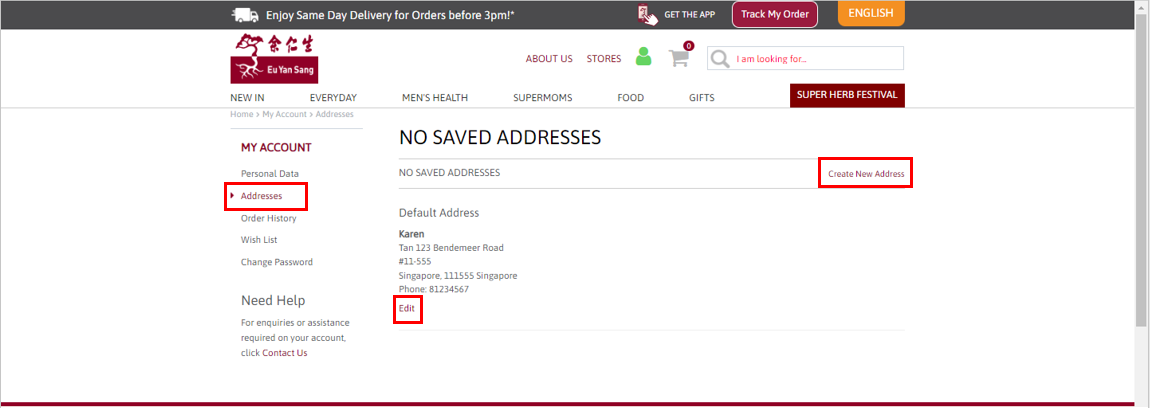
Click on Addresses under My Account at the left side panel. You may Edit your address or Create a new address.
STEP 3
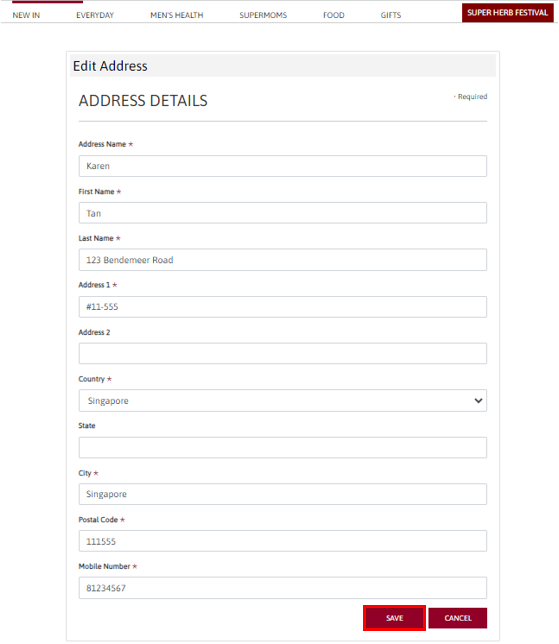
Update the necessary details, then click SAVE.
You may save more than one address.
Your addresses are now available for selection during Check Out.