Checking Your Order Status
Checking your Order Status
Please be sure to check on your order status, especially if you do not see your autogenerated order confirmation email.
STEP 1. To check your order, please log in to your account at our eStore to view your order status.

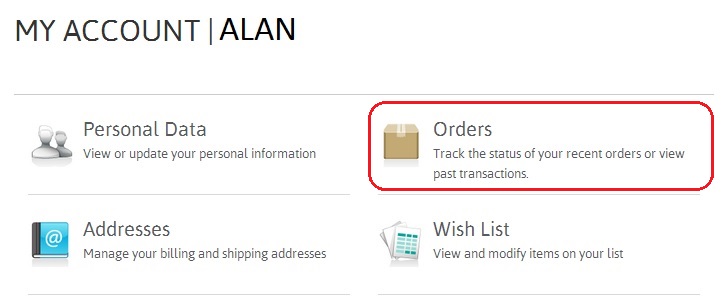
STEP 2. Under MY ACCOUNT, select Orders.
STEP 3. Check your Order status
Under ORDER HISTORY, check on Order Status.
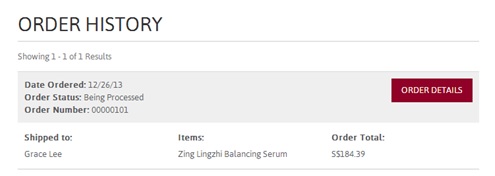
Please refer to the below glossary for the meanings on all the terms used in Order Status.
Storefront | Order Status |
Being Processed | We are processing your order |
Shipped | Your order is being delivered |
Cancelled | Your order is cancelled. |
Failed | Order unsuccessful. Please try placing your order again. Otherwise, contact our eStore assistant (estore.sg@euyansang.com (opens in a new tab)) for help |